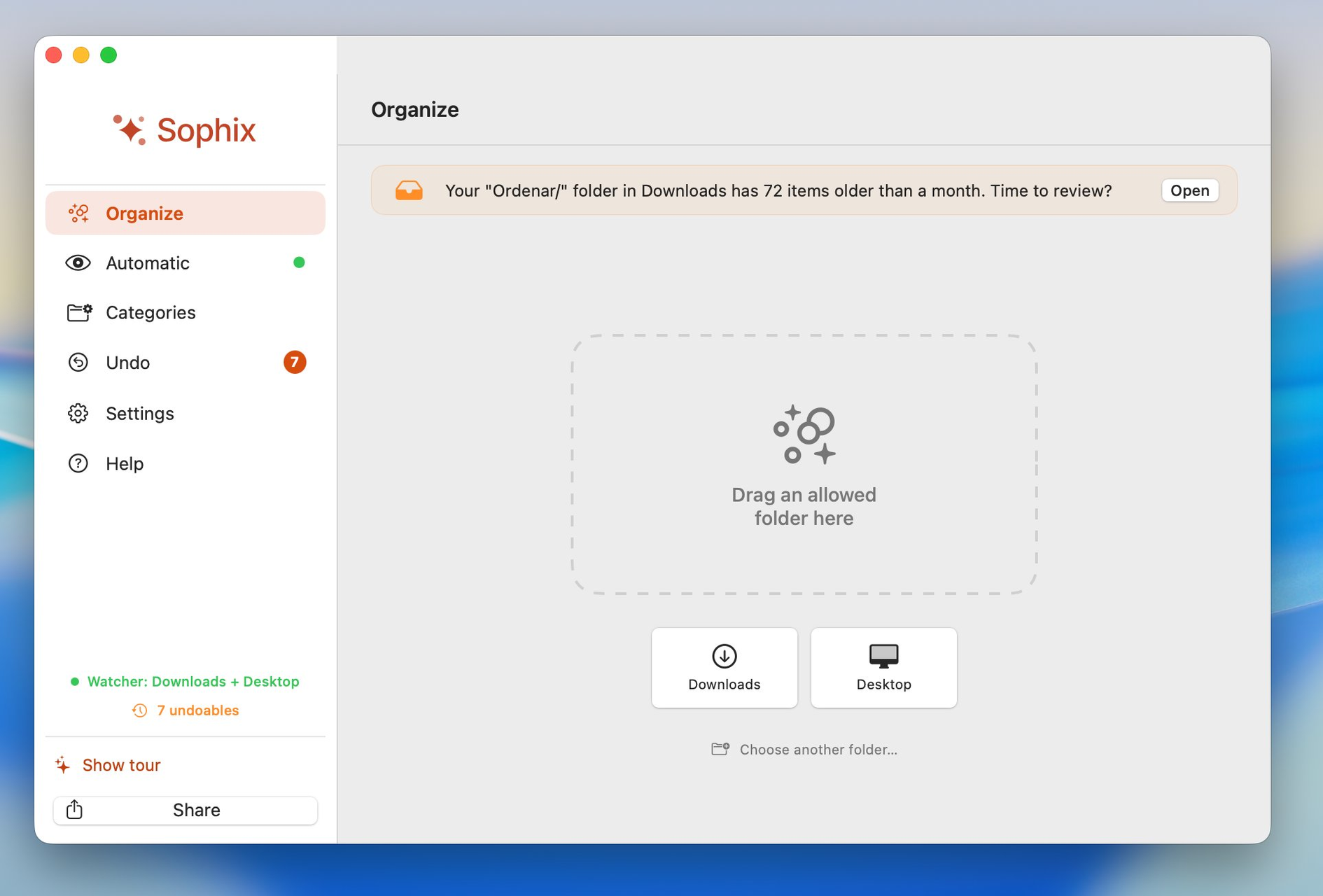
Una app que ordena tus archivos automáticamente.Descargas y Escritorio limpios, sin que tengas que pensarlo. An app that organizes your files automatically.Downloads and Desktop clean, without having to think about it. Sophix nunca borra nada.Sophix never deletes anything.
Pago único · macOS 13+ · 100% local One-time payment · macOS 13+ · 100% local
El escritorio lleno de archivos sueltos. Capturas de pantalla acumuladas. Una carpeta de descargas que da un poco de miedo abrir. A desktop full of loose files. Accumulated screenshots. A downloads folder you're a bit afraid to open.
Capturas viejas, archivos sueltos, el fondo ya no se ve.Old screenshots, loose files, the wallpaper isn't visible anymore.
PDFs sin abrir, instaladores ya usados, .zip sin descomprimir.Unopened PDFs, installers already used, undecompressed .zip files.
Antes de empezar a trabajar, ya estás agotado por lo que ves.Before you even start working, you're already exhausted by what you see.
Sophix reduce el caos digital.Sophix reduces digital chaos.
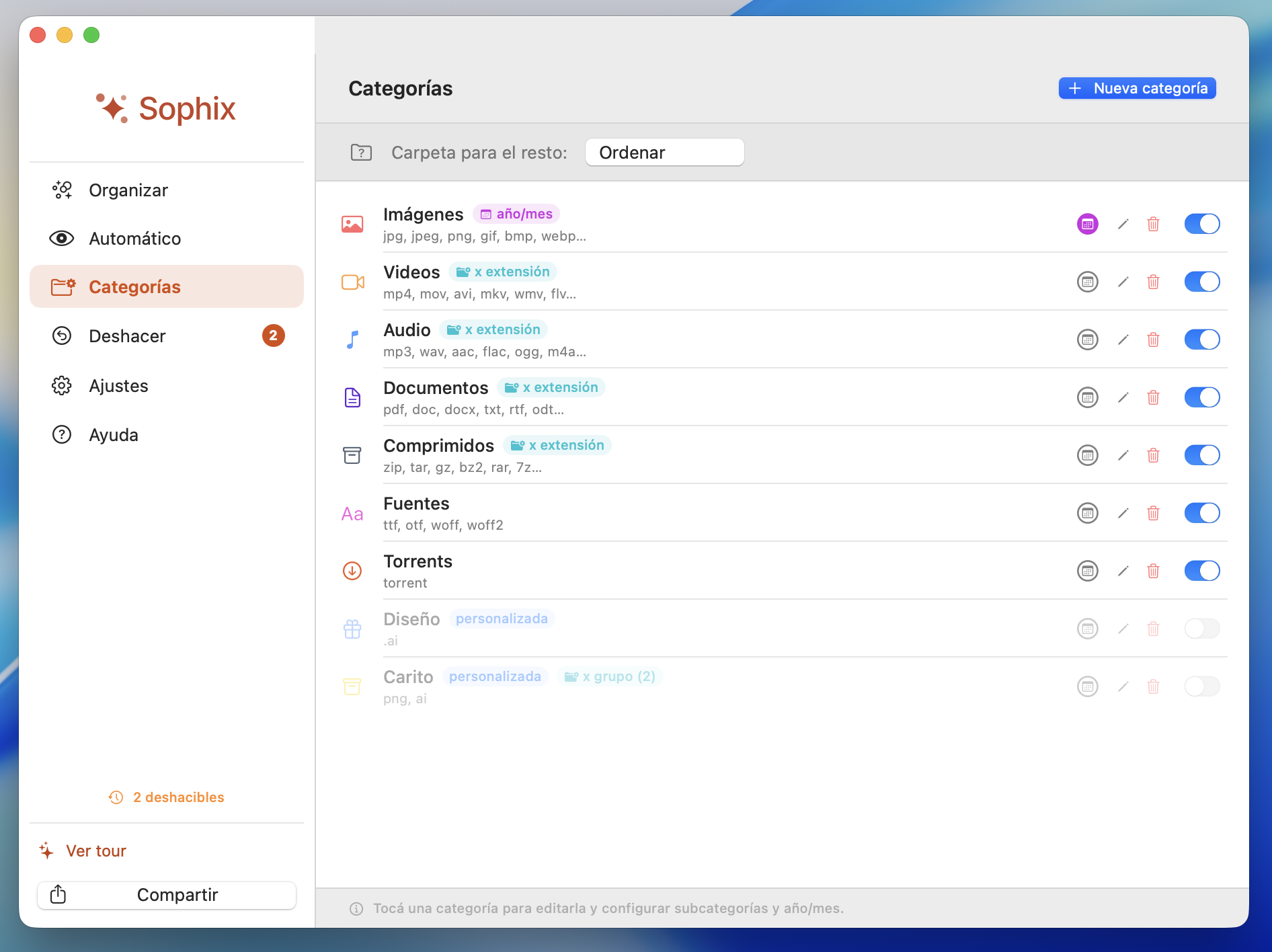
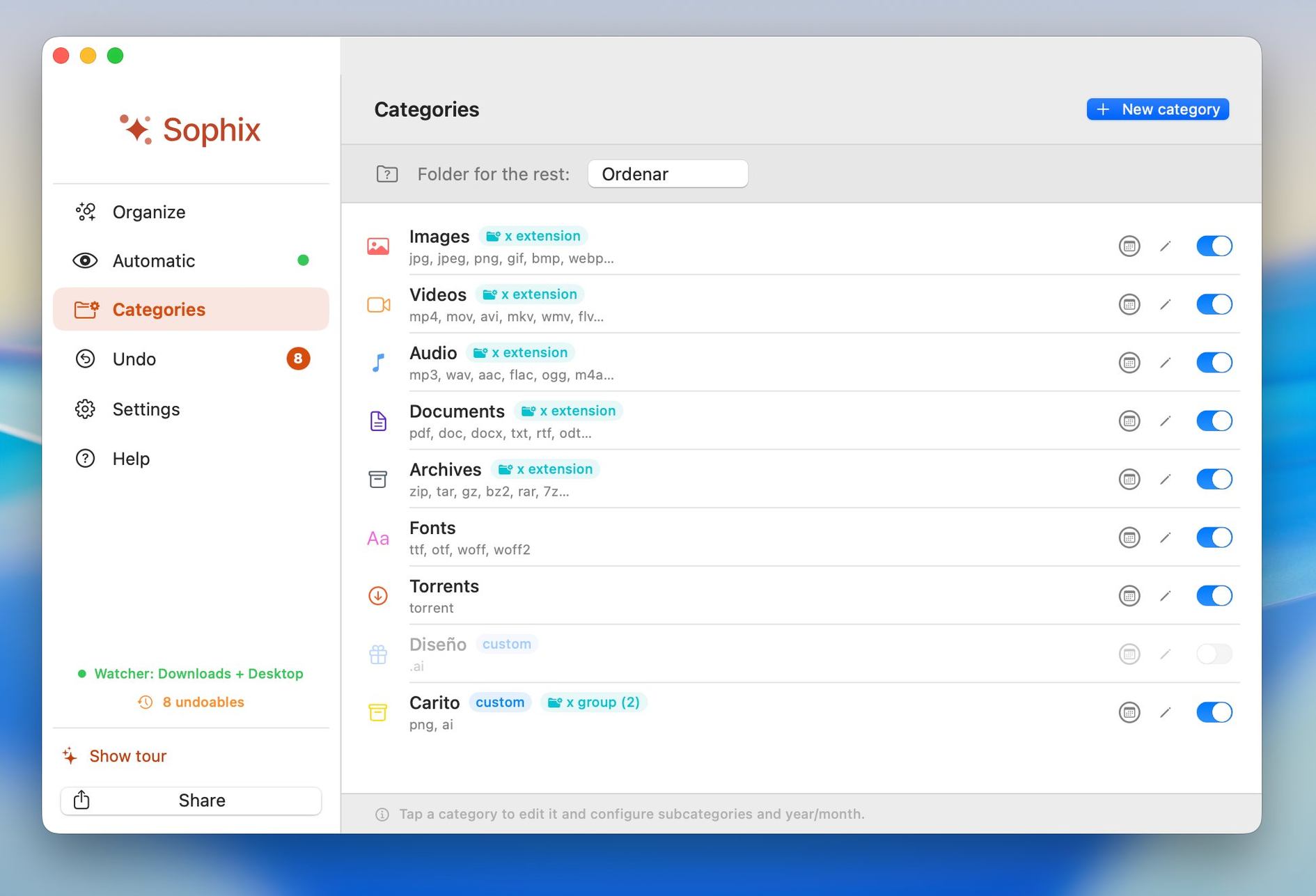
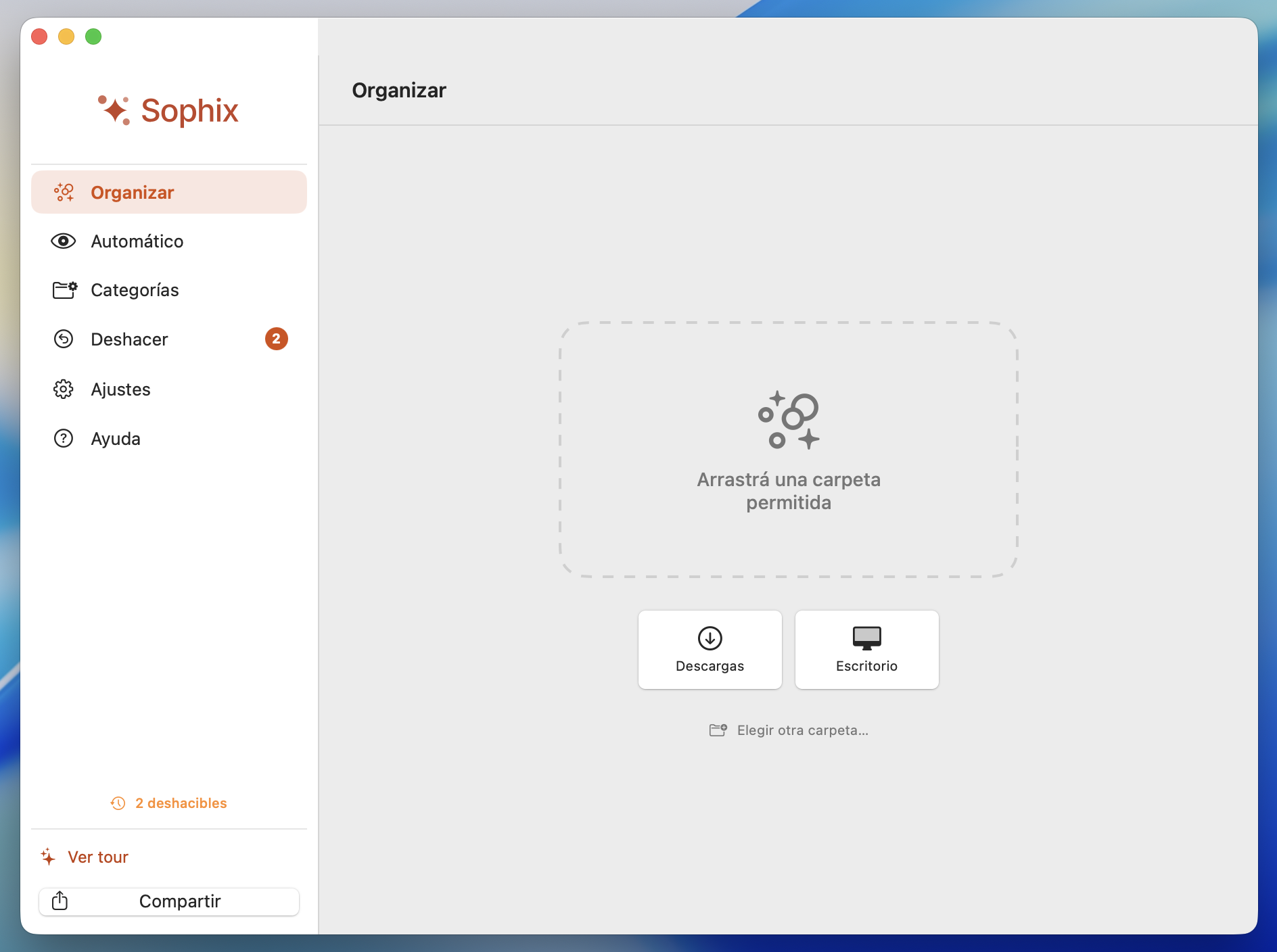
Mueve archivos sueltos del Escritorio y Descargas a sus categorías. Todo es configurable según tu criterio. Las carpetas con contenido nunca se rompen, y podés subdividir por año y mes para no acumular.Moves loose files from Desktop and Downloads into their categories. Everything is configurable to your criteria. Folders with content stay intact, and you can subdivide by year and month to avoid pile-up.
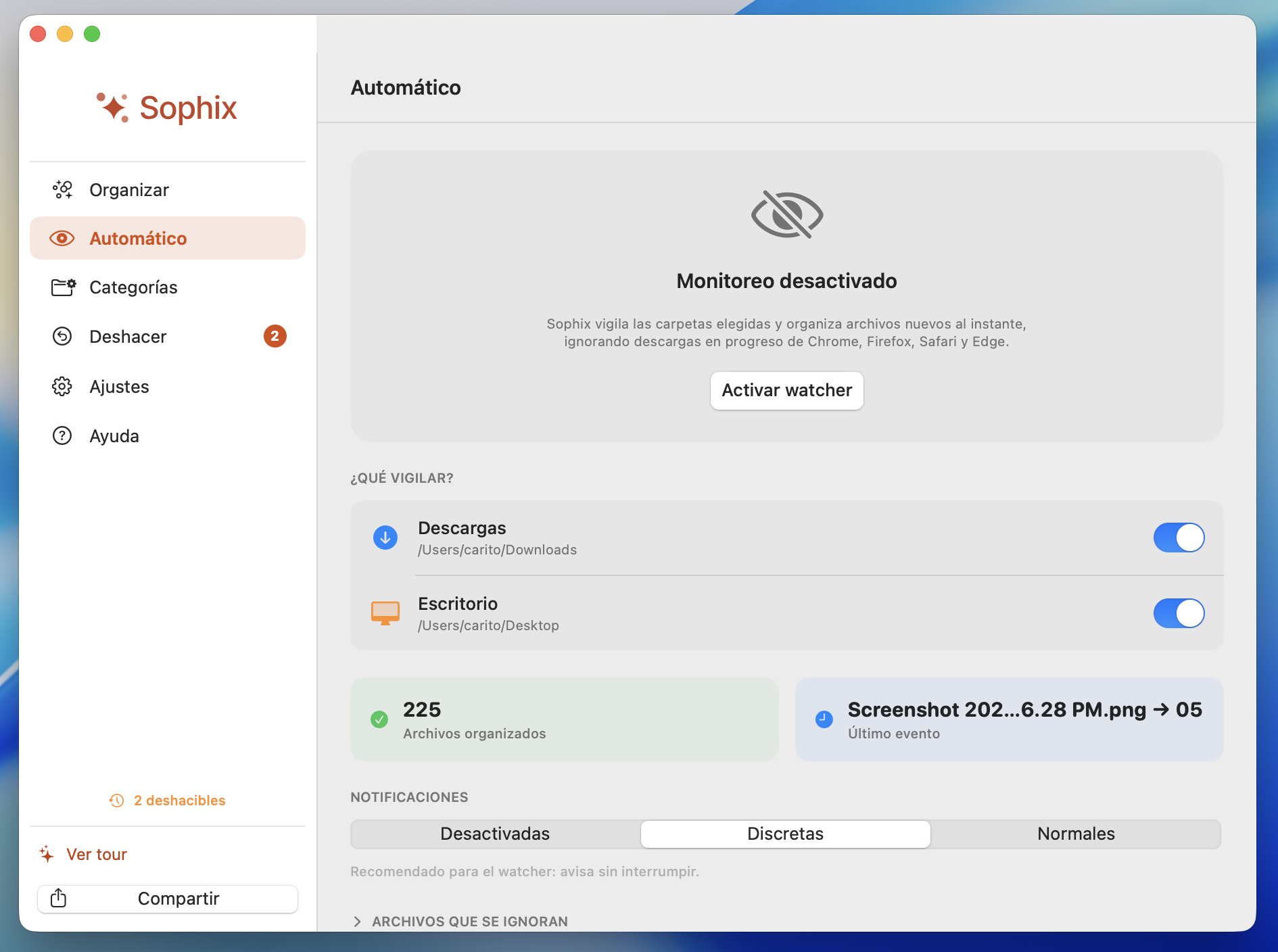
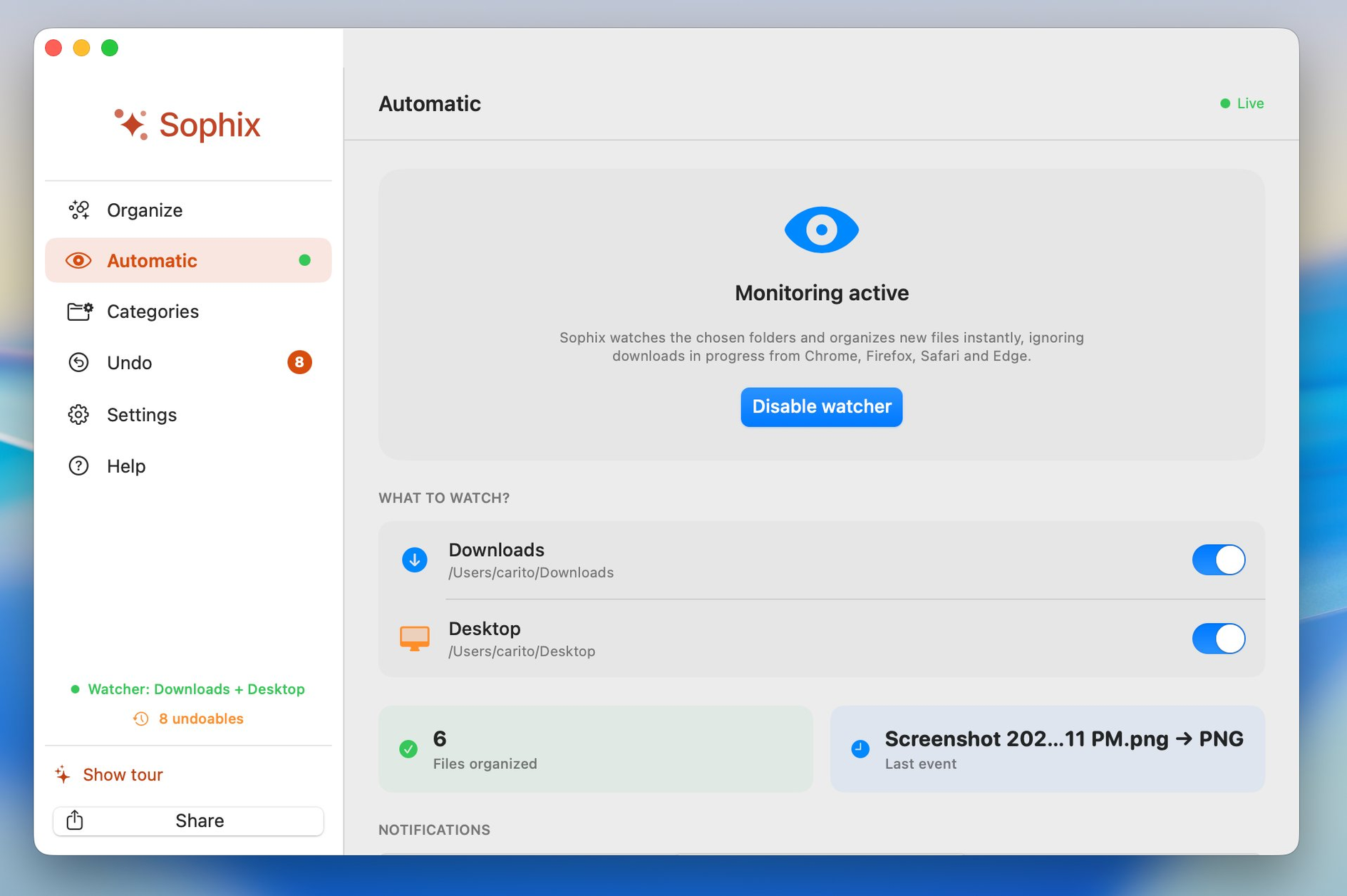
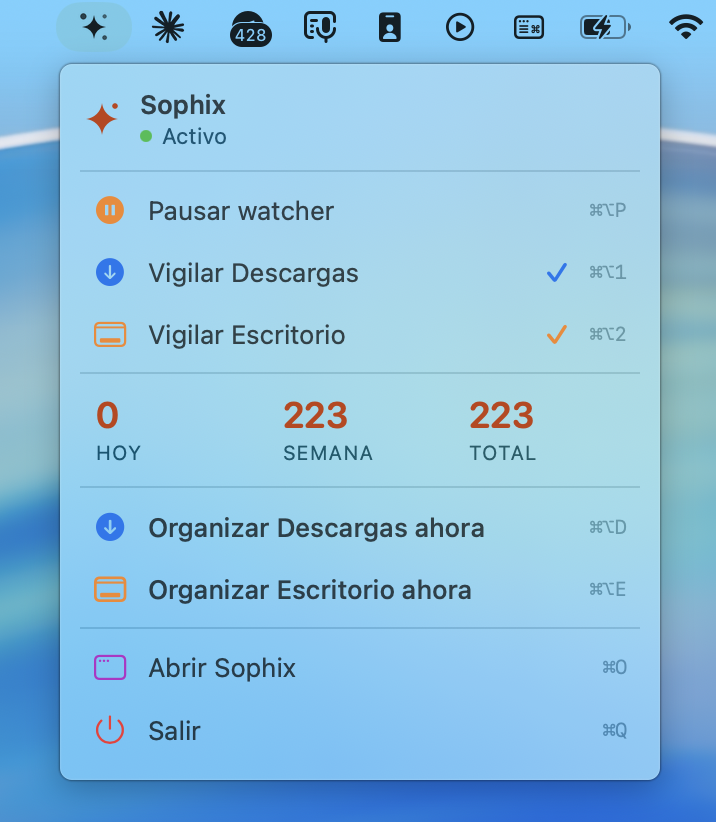
Detecta archivos nuevos al instante y los ordena sin que lo notes. Ignora descargas en progreso de Chrome, Firefox, Safari y Edge — solo toca lo que ya bajó completo.Detects new files instantly and organizes them without you noticing. Ignores in-progress downloads from Chrome, Firefox, Safari and Edge — only touches what's already complete.
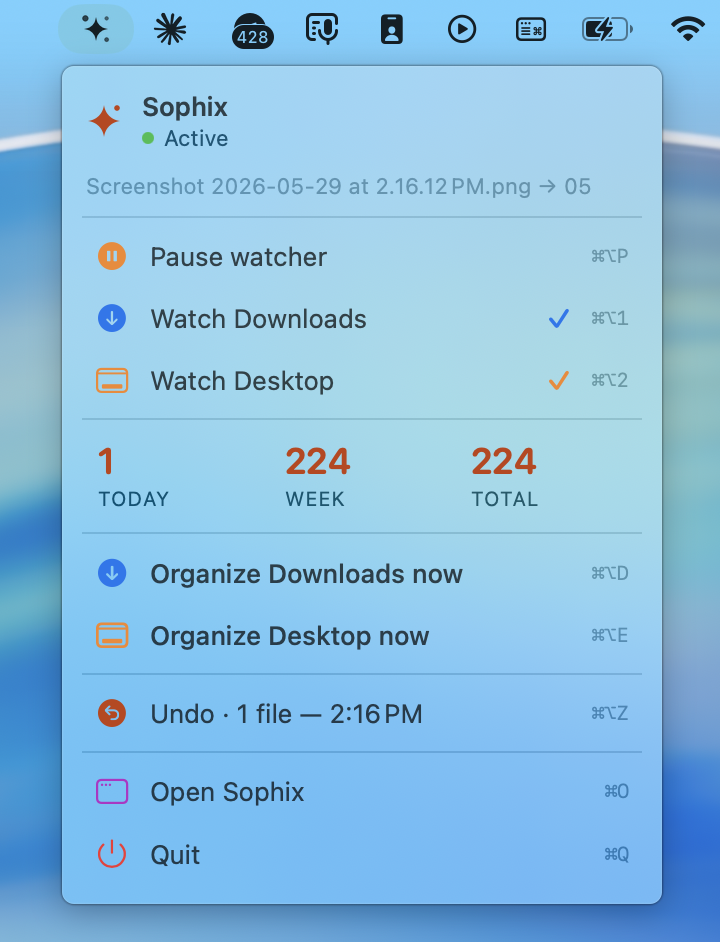
Nunca borra. Siempre podés volver. Un click para revertir todo lo movido, atajo global desde la barra de menú (⌘⌥Z), y modo manual con preview para confirmar antes de cualquier cambio.Never deletes. You can always go back. One click to revert what was moved, global shortcut from the menu bar (⌘⌥Z), and manual mode with preview to confirm before any change.
Cero conexión a internet. Sin analytics ni telemetría. Bloquea automáticamente Library, iCloud Drive, sistema y carpetas ocultas. Pago único — sin suscripciones ni cuentas que crear.Zero internet connection. No analytics, no telemetry. Automatically blocks Library, iCloud Drive, system and hidden folders. One-time payment — no subscriptions or accounts to create.
Funciona de tres formas:It works three ways:
Menos de $22.000 ARSUnder $22,000 ARS
Pago único.One-time payment. Sin cobros mensuales, nunca.No monthly charges, ever.
Sophix está creada por Voodoo Magic Estudios. Fue creada para devolverle orden y calma a la experiencia de usar tu Mac. Surge de la experiencia y de ver un patrón que se repite: escritorios saturados, descargas olvidadas, archivos perdidos y caos digital acumulado. Sophix is created by Voodoo Magic Estudios. It was made to bring order and calm back to the experience of using your Mac. It comes from experience and from seeing a pattern that keeps repeating: saturated desktops, forgotten downloads, lost files and accumulated digital chaos.
Reset Digital es una guía en PDF de 43 páginas que enseña a ordenar la Mac. Cuatro módulos, pensada para hacerse en una tarde. Te muestra todo el camino: Reset Visual, Reset Mental, Reset Productivo y Reset Mac. Reset Digital is a 43-page PDF guide that teaches you to tidy your Mac. Four modules, designed to be done in an afternoon. It shows you the whole path: Visual Reset, Mental Reset, Productive Reset and Mac Reset.
Si todavía no tenés tu guía, descargala acá sin costo.If you don't have your guide yet, download it here at no cost.
Descargar la guíaDownload the guide →En cualquier Mac con macOS 13 (Ventura) o posterior, Intel o Apple Silicon (M1, M2, M3, M4). Si tu Mac es más vieja, escribinos y te confirmamos si conviene esperar la próxima versión.Any Mac with macOS 13 (Ventura) or later, Intel or Apple Silicon (M1, M2, M3, M4). If your Mac is older, write to us and we'll confirm whether it's worth waiting for the next version.
Nunca.Never. Antes de hacer cualquier cambio, Sophix te muestra exactamente qué va a hacer. Vos confirmás o ajustás. Y si algo no te gustó, se puede deshacer desde el historial.Before making any change, Sophix shows you exactly what it will do. You confirm or adjust. And if something wasn't right, it can be undone from the history.
Solo los que necesita para ordenar: acceso a Descargas y Escritorio, vía el sistema TCC de macOS. Nada de cámara, micrófono, mensajes ni cuentas. Te pide los permisos uno por uno, explicando para qué sirve cada uno.Only what it needs to organize: access to Downloads and Desktop, via macOS's TCC system. No camera, microphone, messages or accounts. It asks for permissions one by one, explaining what each is for.
Sophix nunca abre una carpeta con contenido. Si tenés una carpeta de proyecto dentro de Descargas, la mueve entera a "Por ordenar" — la estructura interna queda intacta.Sophix never opens a folder with content. If you have a project folder inside Downloads, it moves it whole into "To sort" — the internal structure stays intact.
Bien. Sophix detecta si tenés Escritorio y Documentos en iCloud y respeta esa sincronización. No descarga archivos solo para ordenarlos.Well. Sophix detects if you have Desktop and Documents in iCloud and respects that sync. It doesn't download files just to organize them.
Pago único.One-time payment. USD 14,90 de lanzamiento (regular USD 19,90), una vez.USD 14.90 launch price (regular USD 19.90), once.
Sophix no es una app de limpieza. Las apps de limpieza borran archivos "basura". Sophix ordena lo que ya tenés — sin borrar nada.Sophix is not a cleaner app. Cleaner apps delete "junk" files. Sophix organizes what you already have — without deleting anything.
Como descarga directa desde sophix.app y también en la App Store. Las dos formas instalan la misma app.As a direct download from sophix.app and also on the App Store. Both ways install the same app.
Sophix · Voodoo Magic Estudios